
Turn two photos into a sweet AI kiss videoMake a Kiss Video

Photos

First person

Second person

Clear, front-facing photos work best.

Sign in to see your balance

AI French Kiss Video Generator

This AI French kiss video generator turns two photos or one couple photo into a 5-second kiss clip with sound. Kiss videos are opening soon.

Example

An example kiss video. Upload your photos to make your own.

Examples

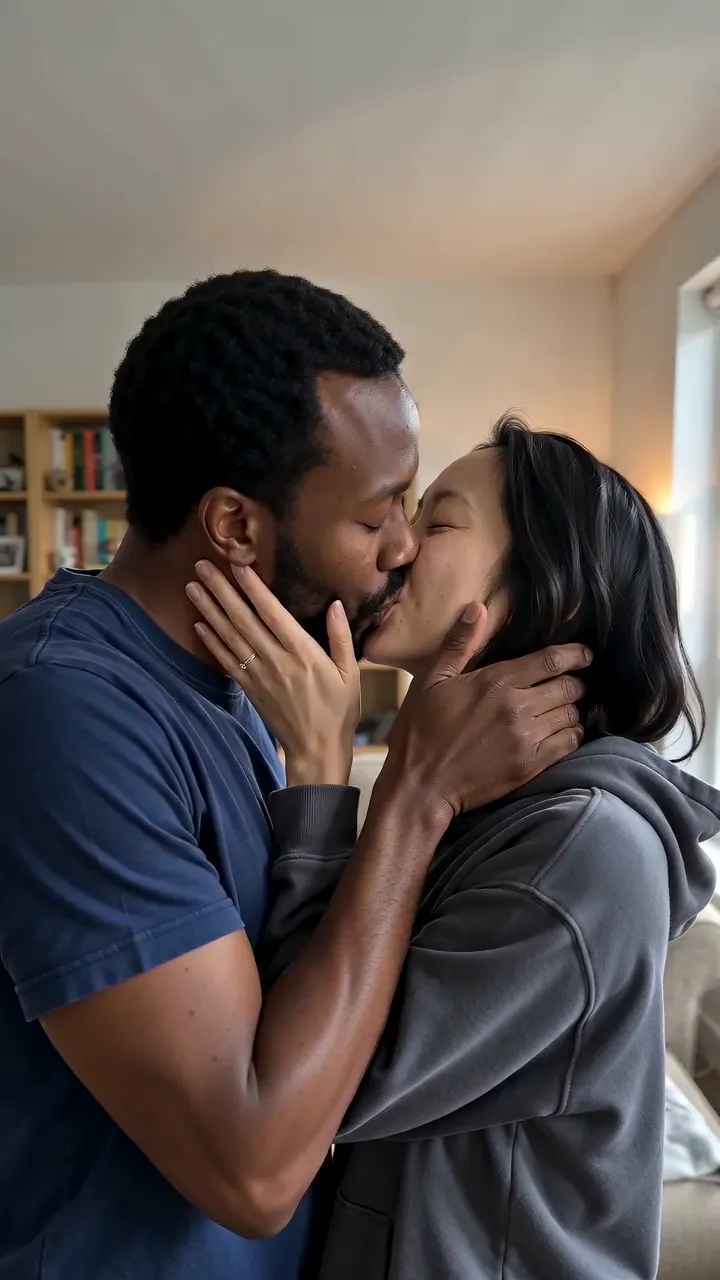
AI French Kiss Video Generator result: AI French kiss video generator example: two single photos turned into a 5-second video of the couple sharing a slow French kiss, hands on each other's faces
AI French Kiss Video Generator result

A slow French kiss, made from your photos

One style, no prompt: the page is the French kiss.

This AI French kiss video generator animates the people in your photos into a short, slow kiss. They lean in, share the kiss with their eyes closed, then part and smile. The example above was made from two single photos.

You give it two photos, one of each person, or one photo with both of you in it. Every video is a 5-second MP4 at 720p, with a sound track the model adds. The kiss is romantic, never explicit, and there is no prompt to write: the page itself is the French kiss style.

It is AI output, so compare the faces and hair with your originals before you share the clip. Make one for a long-distance partner, an anniversary gift or a wedding surprise.

Made for

  • Long-distance couples
  • Anniversary gifts
  • Wedding surprises
  • Friends for a joke
  • Social posts

How to use the AI French kiss video generator

Three steps from photos to a downloadable MP4.

  1. 1

    Add your photos

    Use Two photos, one of each person, or switch to One couple photo. JPG, PNG, WebP and HEIC up to 10 MB each work. Clear, front-facing photos with both faces visible give the kiss the best start. Try sample photos fills both slots if you only want to see how it works.

  2. 2

    Create the video

    Press Create Kiss Video. Each AI French kiss video needs an account and credits, shown on the button. Credit sales are not open yet; if you have no credits, leave your email to hear when kiss videos open. While a video runs, the panel shows when it started and how long it has been going.

  3. 3

    Wait, then download

    A video usually takes about 2 to 3 minutes. You can leave the page: it waits in My Creations, newest first. Download the MP4 when it is ready, or press Make another to start over with new photos.

Frequently asked questions

No. Every video needs a signed-in account and credits, and there is no free video. Credit sales are not open yet: you can leave an email to be told when they open.

Yes. Press Create Kiss Video and the sign-in window opens; your photos and settings stay when you sign in. Creating a video also needs credits, and credit sales are not open yet.

Usually about 2 to 3 minutes. Our test runs took between 96 and 184 seconds, and all five of them finished. You can close the tab and find the finished video in My Creations.

Each video is 5 seconds long, a 720p MP4 with sound. Two photos give a portrait 9:16 clip. A couple photo keeps its own ratio.

Yes, if both people are in it. Choose One couple photo and upload it. A photo of only one person can't become a kiss, because the tool needs both people. For two separate photos, add one of each person.

Clear, front-facing photos of each face, with nothing covering the mouth or eyes. Formats are JPG, PNG, WebP and HEIC, up to 10 MB each. HEIC is converted and large photos are resized in your browser before upload.

The tool aims to keep both faces, hair and clothes as in your photos, but it is AI output and can drift. Compare the result with your originals. Clear, front-facing photos give the best chance.

Yes, the download is a regular MP4 that you can send to a partner or post. Two photos give a portrait 9:16 clip, which suits stories and short-video feeds. Share only videos of people who agreed to it.

Your photos are only used to create your kiss videos and are never used to train AI models. The photos go to the video model to make the clip, and the model provider may keep input and result for a limited time. You can watch, download or delete finished videos in My Creations.

No. The kiss is romantic and non-explicit. Use only photos of yourself or people who agreed, and you must be 18 or older. The model can refuse some photos: the run then fails and your credits come back.

Not on this page. It makes one French kiss, 5 seconds long, with no text prompt. For other kisses, such as a cheek or forehead kiss, use the AI Kiss Generator on the home page.

No. Once the AI French kiss video generator has started a video, it can't be cancelled. You can leave the page and find the video in My Creations when it is ready, or delete it there afterwards.

A failed video returns its credits automatically. You can start again from My Creations or from the page.